
 Headless PIM
With MCP, you can connect Claude, ChatGPT or another AI agent to Bluestone PIM and let it work with your product data. The agent can find products, check completeness, update supported information or create tasks, while Bluestone PIM keeps the catalogue, permissions and rules in one place.
MCP is the standard connection that makes this possible. In this article, we explain how it works, what AI agents can do through it and how access to your product data stays controlled.
What Is MCP in Simple Terms?
An AI agent can only work with information it can access. If you ask ChatGPT or Claude which products in your catalogue are below 80% completeness, it cannot inspect your live PIM data on its own. You would normally need to export or upload that information first.
Model Context Protocol, or MCP, gives AI applications a common way to connect to external systems and use the data and tools they expose.
A simple analogy is a universal plug: a system makes its capabilities available through MCP once, and compatible agents can then use them without a separate custom integration each time. In practice, an agent may only read data, or it may have permission to change it through write operations, such as updating a product or creating a task.
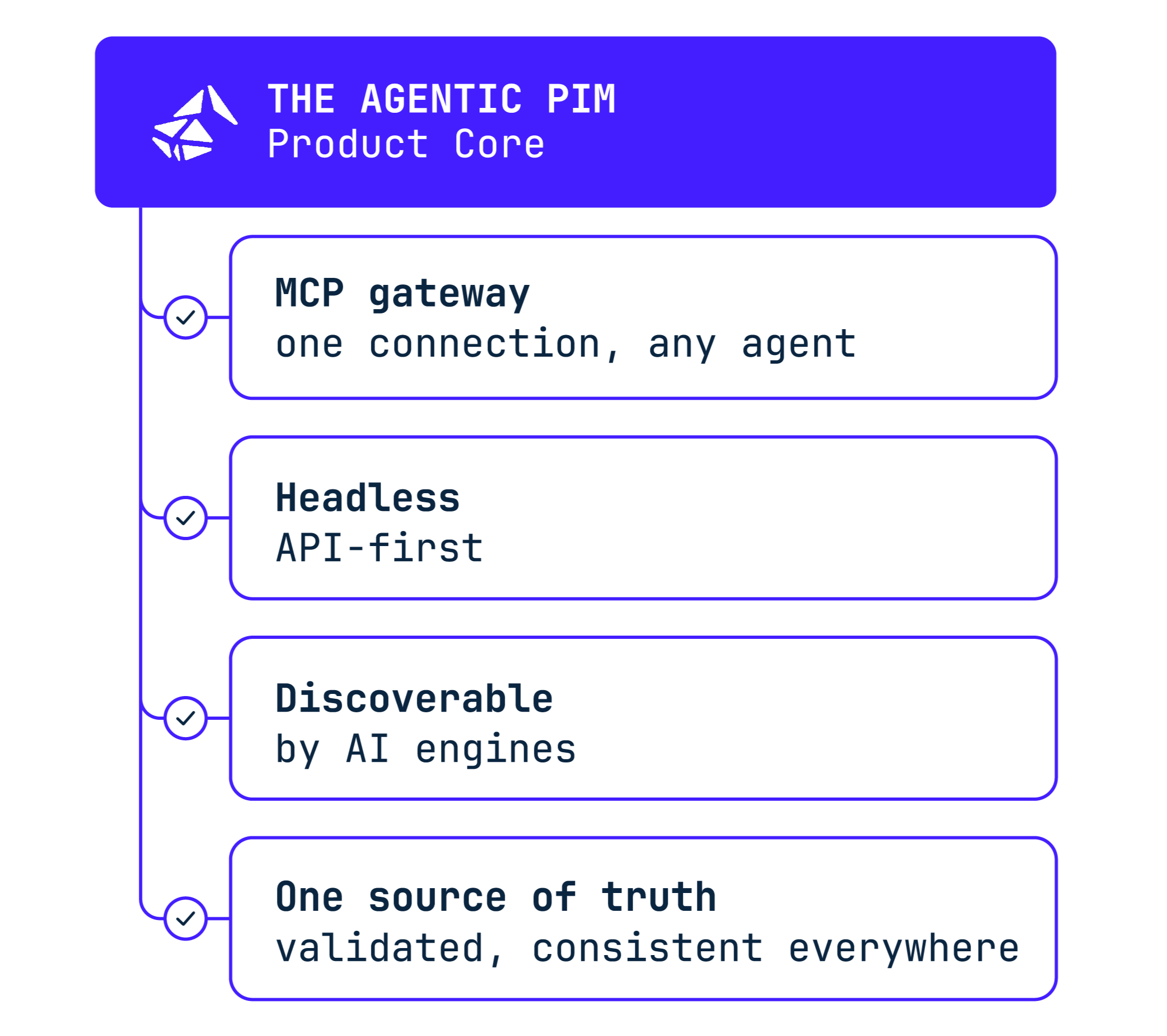
Bluestone PIM provides a product MCP server that gives compatible external AI agents access to supported product data and PIM operations. You connect your preferred agent, sign in with your Bluestone PIM account, and the agent works within the permissions assigned to that user.
You could then ask directly in the agent’s interface: “Show me all products in the Furniture catalogue below 80% completeness.”
The agent can inspect the catalogue and return the matching products. You can continue with a follow-up such as: “Show me what is missing for those products.”
If a supported write operation is available and your account has permission to use it, the agent can carry out that action too.
Why Connect an External AI Agent to a PIM?
A PIM already holds the product information your teams work with every day. Connecting an external AI agent lets that agent work with the same data from the AI environment your team prefers.
Bluestone PIM is headless, so the standard PIM interface is only one way to work with the same product data core. The data and business logic are available through API endpoints and can be used by other applications too.
MCP extends that model to AI agents. Your team can work from Claude, ChatGPT, Cursor or its own agent, and Bluestone PIM still remains the system where the catalogue, permissions and product rules are managed.
The product data stays in Bluestone PIM, while the interface used to work with it can change.
What Is the Difference Between MCP and an API?
An API lets software connect to another system through defined operations, while MCP gives an AI agent a standard way to discover and use those operations.
They work together and API endpoints are still a good fit for fixed integrations, such as scheduled product-data syncs. MCP is more useful when the agent needs to inspect data first and decide what to do next.
What Can an AI Agent Do in Bluestone PIM Through MCP?
The product MCP supports work across the main areas of product information management. Here are some practical examples of what an external AI agent can do through that connection.
See the latest Bluestone PIM MCP documentation.
| What you can do with Bluestone PIM MCP | What the agent can do |
Example |
|---|---|---|
| Find data issues | Check products for completeness and missing requirements |
“Show me web catalogue products below 90% completeness.” |
| Update product data |
Change product information when the operation is supported and the user has permission | “Set the Season attribute to AW26 for these products.” |
| Create & assign tasks |
Turn data issues into tasks for the right team members |
“Find products missing approved images and create tasks for them.” |
| Manage product structure |
Work with products, variants, attributes, catalogues, categories and relations | “Group these footwear products into variants by size and colour.” |
| Work with assets | Inspect and manage product assets where supported | “Find products that fail the main image requirement, attach the matching assets from this list and label them as main images.” |
| Publish & sync |
Check products ready for publishing and perform supported publishing or sync actions | “Show me the products ready for the next publishing step.” |
Does MCP Mean the AI Agent Is Part of Bluestone PIM?
An agent connected through MCP can run outside Bluestone PIM. At the same time, Bluestone PIM also has a separate AI Agent that works inside the product interface. It understands the current workspace, permissions and available actions, and organisations can configure the model provider used behind it.
The distinction is simple: the in-product AI Agent gives you an AI interface inside Bluestone PIM, and MCP lets compatible external agents work with Bluestone PIM from outside that interface.
How Is Access to Product Data Controlled?
The product MCP server uses the organisation access and permissions of the Bluestone PIM user who signs in.
Those permissions apply to both read and write operations.
- Read operations let the agent inspect data without changing it, such as finding a product, checking its attributes or viewing linked assets.
- Write operations change data, for example by updating a product, creating a task or triggering a publishing action.
The agent cannot go beyond the permissions of the signed-in user. If that user can view a product but cannot update it, the agent cannot make that change through MCP. It can only use operations that are exposed through the product MCP server.
For write operations, especially bulk updates or publishing changes, it is safer to review the target records before the action runs and check the result afterwards.
Change history can help teams see what happened after an action. It should not be treated as a guaranteed undo function, and a proposed action is not the same as a server-side preview or rollback guarantee.
How Do You Connect an AI Agent to Bluestone PIM Through MCP?
Bluestone PIM provides the product MCP server, so you do not need to build one yourself. You connect it to a compatible MCP client and sign in with your Bluestone PIM account.
The client needs to support remote MCP servers over Streamable HTTP and interactive OAuth. Authentication happens through the Bluestone PIM sign-in flow, so there is no need to add a Management API key or copied bearer token to the MCP configuration.
Once connected, the agent works with the organisation and permissions linked to your Bluestone PIM account. A good place to start is with a read-only request, for example:
“Find product 12345 and show me its current attributes. Do not change anything.”
After checking that the agent is working with the right organisation and records, you can move on to write operations.
See how to connect to the Bluestone PIM product MCP server.
When Does MCP Make Sense for a Product Team?
MCP is useful when the next step depends on what the agent finds in the PIM. That could mean checking catalogue quality, working with product structure, comparing data across contexts or turning an issue into a task for the team.
A fixed data transfer that follows the same path every time is usually better handled by an API, webhook or connector. MCP is a better fit when the agent needs to inspect product data and decide which supported action to take next.
With Bluestone PIM, you can do that from the AI environment your team already uses. The catalogue, permissions and product rules stay in Bluestone PIM, while your chosen agent works with them through MCP.
Want to see what this could look like with your own product data?
Explore Bluestone PIM MCP.