
 Product Information Management
In April 2023, Samsung engineers pasted confidential source code into ChatGPT to fix technical problems. The following month, Samsung restricted employees from using generative AI tools.
Product data may seem less sensitive. Yet a simple copy-paste can expose supplier pricing, unreleased specifications or confidential documents. LayerX's Enterprise AI and SaaS Data Security Report 2025 found that 77% of employees paste data into generative AI tools, with 82% of those pastes made through unmanaged personal accounts.
So, is it safe to paste product data into ChatGPT? It depends on the data and the tool you're using. Public specifications shared through an approved AI tool are usually low risk. Confidential product information needs tighter controls. This guide explains what manufacturers can safely share, what to keep private and how to use AI without exposing sensitive data.
Is ChatGPT Secure? What Happens When You Paste Product Data In
Whether ChatGPT is secure for product data depends on the account you use. OpenAI's data usage policy says it may use content from personal ChatGPT accounts (Free, Plus and Pro) to train its models unless the user turns off "Improve the model for everyone" in Data Controls. For ChatGPT Business, ChatGPT Enterprise and the API, OpenAI says it doesn't train on your inputs or outputs by default.
So the account matters more than the tool. A product manager on a personal Plus account and a colleague on a company Enterprise workspace can type the same prompt with very different consequences.
Training isn't the only risk. Two more come up in every IT review:
-
Company policy. Copying company product data into a personal AI account often breaks internal IT and data security rules, even if the provider never trains on it.
-
Data residency. Some AI services process data in the US. If your company requires product data to stay in Europe, a personal chatbot gives you no say in where it goes.
In practice, copy-paste also creates a data quality problem. One product data team described their current workflow to Bluestone PIM like this: export the data, enrich it in ChatGPT, then re-import it into the PIM. Every round trip is a chance for a wrong value or an outdated file to land in the live catalogue.
Before your team uses AI on product data at all, get two things in writing. First, a data processing agreement that defines how the AI provider may use your data and how it must protect it. Second, access rules that limit what the AI can see and change.
Download free e-book
Start Using AI With Your Product Data Safely
Download the free guide and get a practical framework for introducing AI into your product workflows in 30 days.
Which Manufacturing Product Data Is Safe to Share with AI?
Not all manufacturing product data carries the same risk. Sort it into four groups before anyone pastes anything, and use those groups as your company AI policy.
| Data type | Manufacturing examples | Recommended policy |
|---|---|---|
| Public | Published descriptions, product images, dimensions, datasheets already on your website | Allow AI-assisted writing and updates, with validation |
| Pre-release | New product ranges, launch dates, campaign content | Use approved AI routes with restricted access |
| Commercial | Cost prices, margins, supplier terms, distributor price lists | Limit to authorised users and workflows. Review sensitive changes before approval |
| Regulated | Safety data sheets, certificates, declarations of performance, Digital Product Passport fields | Let AI analyse or draft, but require human review before any change is approved |
The regulated row needs the most care. A wrong load rating or a missing hazard statement becomes a compliance problem the moment it's published. If you're preparing for the EU Digital Product Passport, those fields belong here too. The guide to what manufacturers need to know about the Digital Product Passport covers which data the regulation asks for.
Pro tip: Start your AI policy with the public row. That's where the quickest wins sit (missing attributes, translations, first-draft descriptions) and where a mistake costs the least.
What Is the Safer Way to Use AI on Product Data?
The safer way to use AI on product data is to run it through your PIM instead of copying data into a separate chatbot. When AI works inside the system that already controls access to your catalogue, it can only see and change what the signed-in user is allowed to.
| Before: copy-paste into a chatbot | After: AI through the PIM |
|---|---|
| Data exported to a spreadsheet, then pasted into a personal account | AI works on live product data where it already lives |
| No record of what was shared, or with which provider | Every change is tied to a named, signed-in user |
| AI sees whatever someone decides to paste | AI sees only what that user's permissions allow |
| Edited values re-imported by hand | Changes saved in the PIM, with a change history |
Bluestone PIM gives manufacturers two ways to work like this.
Use the Built-In AI Agent
Bluestone PIM has a built-in AI Agent that works directly in the catalogue through a chat interface. It searches products and finds incomplete records. It also knows how Bluestone PIM works, so there's no separate agent to set up. It suits teams that want AI inside their PIM for manufacturing from day one.
Connect Your Own AI Agent Through MCP
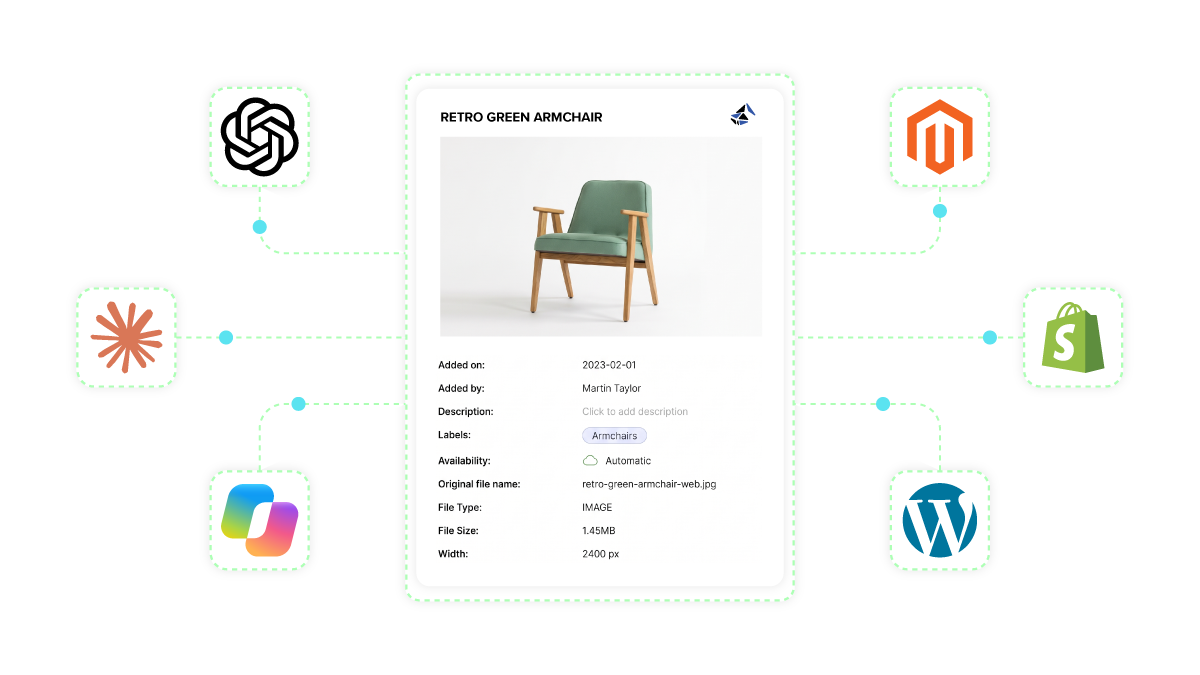
Already using Claude, ChatGPT or a custom agent? You can connect it to Bluestone PIM through MCP, an open standard that lets AI tools work with business systems (what MCP is and how it works with product data). Because Bluestone PIM is headless, its MCP server gives agents the same capabilities as the user interface. With 1200+ API endpoints behind it, an agent can update attributes and work across the catalogue the way a person does in the UI. Some PIM MCP servers stop at finding and reading a product.
Either way, the AI provider is your choice. Bluestone PIM works with different LLM providers and models, including setups that use your own API keys. If your company already has an approved provider through Microsoft Azure, you may be able to keep it. Check that your security agreement covers how product data is used.
Bluestone PIM helps manufacturers keep AI agents accountable by running every agent, including those connected through the Bluestone PIM MCP server, in the context of a signed-in user. In practice, that means:
-
Agents can only take actions the authenticated user is authorised to take.
-
Changes are attributed to a named person, not a shared service account.
-
Sign-in uses OAuth 2.1 with PKCE, so nobody pastes API credentials into an AI tool.
-
Product change history shows what changed and which records were affected.
Bluestone PIM's wider security framework includes SOC 2 Type II and ISO 27001, with regional data residency in the EU, North America and APAC.
How Do You Stop AI Getting Specs and Safety Data Wrong?
To stop AI getting specs and safety data wrong, check its output against your source data and control when it can write to the live catalogue. AI can invent values, misread instructions or pick the wrong action. In a bulk update, one mistake can reach thousands of SKUs.
Step 1: Check AI output against source data. Drafted descriptions and filled-in attributes need review, especially safety information and certifications. This check is what decides whether you can trust AI to write product descriptions at all.
Step 2: Start read-only. Let agents analyse and compare product data first. When you're ready for changes, set your AI tool to ask for approval before it saves anything.
Step 3: Give agents clear tools. Bluestone PIM adds MCP tools gradually, each with a clear description and testing. Agents then pick the right action instead of confusing two similar ones.
Step 4: Know how to undo. Bluestone PIM keeps a history of product changes, so your team can see what an agent changed and which records it touched. Rollback for bulk updates is in development.
For more on accuracy, read how to prevent AI hallucinations in product data.
How Can Manufacturers Roll Out AI on Product Data in 30 Days?
Manufacturers can roll out AI on product data safely in 30 days by starting with one task and expanding only once it works.
Week 1: Find out how your team already uses AI. List the tools, the product data people share and what they use AI for. Look for sensitive data going into personal accounts.
Week 2: Set the rules. Classify your data using the four groups above and choose an approved AI provider. Ask your security or compliance team to review the data processing agreement, retention policy and regional requirements.
Week 3: Test one agent on one task. Pick something low risk, like finding missing attributes or comparing catalogue records. Confirm the agent respects user permissions before it touches live data.
Week 4: Go live with controls. Turn on approval before saving and agree how your team will correct mistakes. Give each agent access only to the data and actions it needs.
Then add the next task. AI use cases for manufacturing PIM shows where manufacturers usually go next. The payoff is speed. Zeeman cut localisation from six weeks to one week with Bluestone PIM. Teams that move AI onto approved, governed product data get that kind of time back without the risk of a Friday-afternoon paste into a personal chatbot.
The real risk in copy-paste is product data leaving the system that controls who can see and change it. Bluestone PIM keeps AI inside that system: use the built-in AI Agent or connect your own model through MCP, and every agent works within the permissions of a signed-in user, with a history of what it changed.