
 Product Information Management
Managing product variants and families in a PIM means structuring related products so they share common data, while still allowing differences where needed. If you sell products with sizes, colours, materials, or technical configurations, this is how you keep your catalogue organised without duplicating work.
This guide is for e-commerce, product, and data teams working with large or growing catalogues. It shows how to structure variants properly, how to avoid common mistakes, and how Bluestone PIM supports this setup in practice.
What Are Product Families And Variants In A PIM?
Product families and variants define how your catalogue is structured.
- A product family is a group of products that share the same structure and purpose.
- A variant is a specific version of that product.
Here’s a simple way to picture it:
You start with one base product that defines the core information, such as name, brand, and description. Then you create variations of that product, each representing a different option available to customers. These variations share most of the data, but differ in specific attributes like size, colour, or configuration.
| Level | Example | Shared Data |
|---|---|---|
| Family | Footwear | All need Brand, Material, Warranty |
| Product (Parent) | SpeedRunner 3000 | Name, Description, Brand |
| Variant (SKU) | Blue / Size 42 | Specific GTIN/EAN, Price, Stock |
Instead of creating each product from scratch, you manage them as one connected group.
Bluestone PIM supports this by letting you group variants together and assign shared attributes at the group level, which keeps data consistent across all versions.
Why Is Variant and Family Management Important?
As your catalogue grows, poor structure becomes a real problem. Teams end up copying data, missing attributes, and publishing inconsistent product information.
A structured approach helps eliminate these issues, leading to:
Reduced Duplication
You do not repeat the same product description, technical specs, or marketing copy across dozens of SKUs. Shared attributes handle this once at the family level.
Better Data Consistency
All variants follow the same rules. This means:
-
The same attribute format
-
The same required fields
-
The same naming conventions
This is key when selling across multiple channels.
Faster Product Onboarding
New variants can be created quickly without rebuilding the entire product.
Bluestone PIM allows you to reuse attribute structures and apply them across multiple products, which reduces manual work and speeds up launches.
Easier Updates at Scale
Change the description or add a new attribute once, and it applies across all variants. This removes the need for manual updates across dozens or hundreds of SKUs.
How Do You Structure Product Families in a PIM?
A good structure starts with a clear and consistent data model. Before defining product families, it is important to understand how they fit within your overall catalogue structure.
How Does Product Taxonomy Fit Into Variant Management?
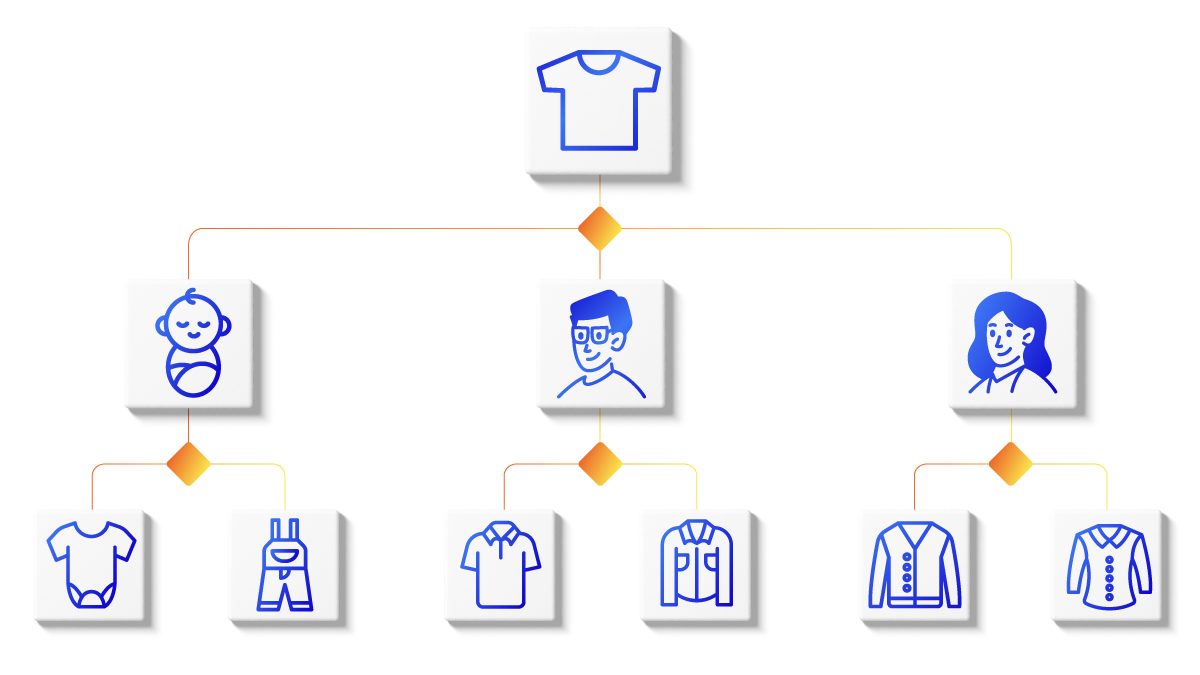
Product taxonomy defines how your catalogue is organised into categories and subcategories. It sits above product families and ensures everything follows a consistent structure.
In simple terms:
-
Taxonomy = how products are grouped (e.g. Clothing → Men → T-shirts)
-
Product family = what the product is (e.g. Basic T-shirt)
-
Variants = the available options (e.g. size, colour)
Without a clear taxonomy, product families become inconsistent. Similar products end up in different categories, attributes vary, and data becomes harder to manage.
With a well-defined taxonomy in place, you get:
-
Consistent attribute structures across categories
-
Clear rules for where products belong
-
Better filtering and navigation on the frontend
-
Easier data governance inside your PIM
Bluestone PIM supports flexible category structures and attribute modelling, allowing teams to align taxonomy, product families, and variants within one system.
Step 1: Define Your Product Families
Group products that share:
-
The same use case
-
The same attribute structure
-
The same customer context
Examples:
-
T-shirts
-
Laptops
-
Office desks
If products require different attributes, they should not be in the same family.
Step 2: Define Shared Attributes
These apply to all variants within the family:
-
Product name
-
Brand
-
Description
-
Category
-
Core specifications
Bluestone PIM supports category-level attributes (CLA) for category-wide structure and requirements (while shared data across variants is usually modelled on the Variant Group using VLA).
Step 3: Define Variant Attributes
These are the attributes that change between variants:
-
Size
-
Colour
-
Material
-
Capacity
-
Technical configuration
Keep this list focused. Too many variant attributes can make the structure harder to manage and understand.
Step 4: Set Validation Rules
To keep data clean, define rules such as:
-
Required attributes before publishing
-
Accepted value formats (e.g. size charts, units)
-
Controlled vocabularies
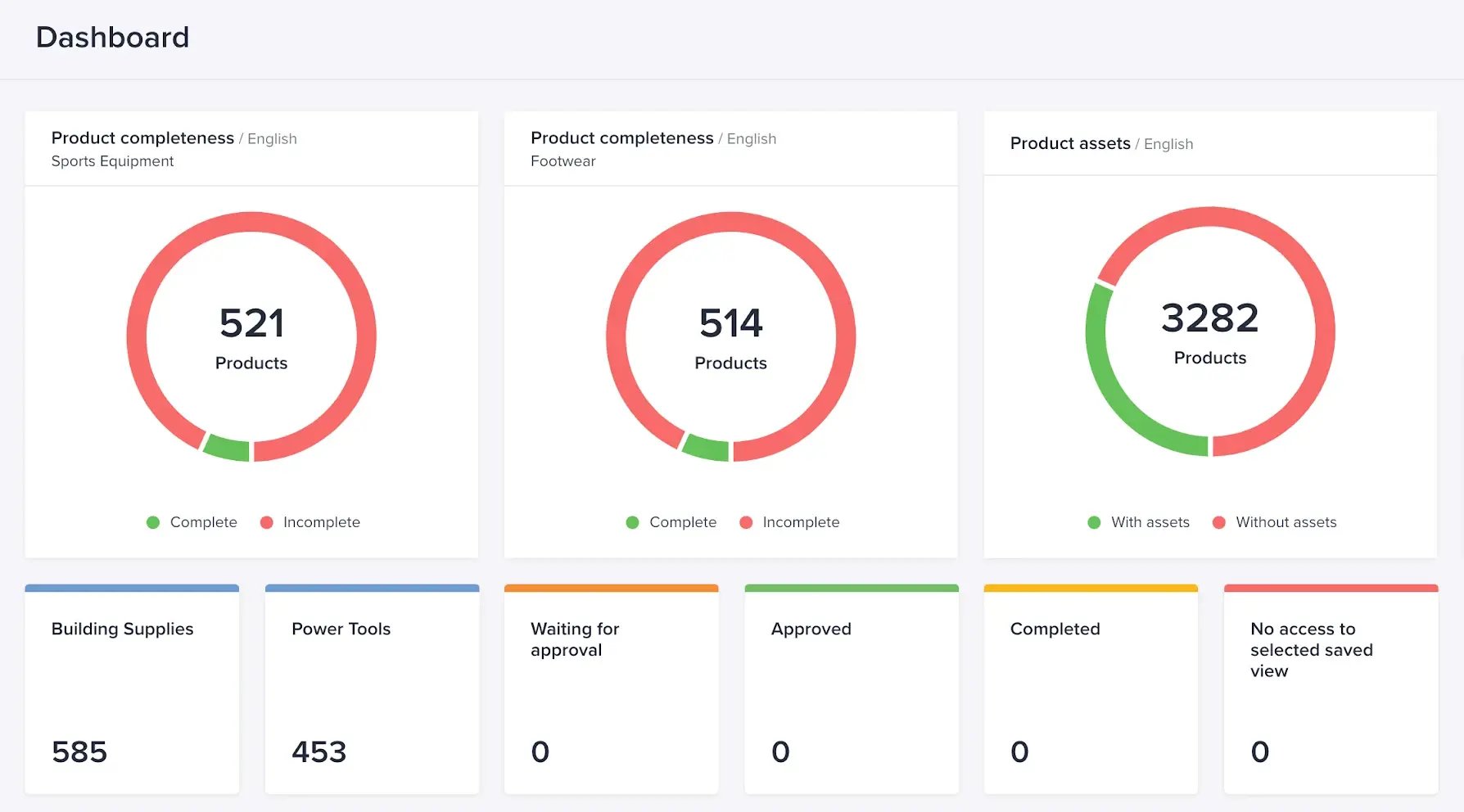
Bluestone PIM supports validation and completeness tracking, helping teams spot missing or incorrect data early.
How Do You Manage Variants in a PIM?
Once the structure is in place, managing variants becomes much simpler.
Step 5: Create Variant Groups
Group all related products under one parent.
In Bluestone PIM, you can:
-
Add existing products to a variant group
-
Create new variants directly within the group
This keeps relationships clear and easy to manage.
Step 6: Separate Shared and Variant-Level Data
A clean separation is key.
Family-level (shared):
-
Description
-
Brand messaging
-
Product overview
Variant-level:
-
SKU
-
Price
-
Stock
-
Size / colour
This setup avoids duplication and makes updates faster.
Step 7: Use Bulk Actions
Managing variants one by one does not scale.
Bluestone PIM supports bulk updates, allowing you to:
-
Update attributes across multiple products
-
Publish or archive variants in batches
-
Move products between categories
This saves time and reduces manual errors.
Step 8: Use Templates to Scale
Templates let you reuse existing structures instead of starting from scratch.
You can:
-
Convert products into templates
-
Apply them to new variants
-
Standardise product onboarding
This is particularly useful when launching new collections or product lines.
How Do You Manage Variants Across Multiple Channels?
Variant management does not stop at structure. It affects how products appear across your sales channels.
Centralise Product Data
All product information should live in one system. Bluestone PIM acts as a single source of truth, collecting, structuring, and distributing product data across channels.
Adapt Content Per Channel
Each channel has different requirements.
With a PIM, you can:
-
Adjust attribute formats
-
Tailor content for marketplaces
Manage Localisation and Context
Variants may need different content depending on the market.
Bluestone PIM allows you to create multiple versions of product content for different languages, regions, or audiences, supported by AI-driven translation and text improvement tools.
Track Completeness Before Publishing
Incomplete variant data leads to poor customer experience and returns.
With completeness tracking, teams can:
-
See which attributes are missing
-
Identify products not ready for publication
-
Maintain quality across the catalogue
Managing Product Variants and Families: Common Mistakes to Avoid
Even with a PIM, teams often run into the same issues:
-
Mixing different product types in one family: this leads to inconsistent attributes and messy data.
-
Overcomplicating variant structures: too many variant attributes make products harder to manage and maintain.
-
Duplicating data across variants: if information is shared, it should live at the family level.
-
Skipping validation rules: without rules, data quality drops quickly.
How Does Bluestone PIM Support Variant and Family Management?
Bluestone PIM is built to handle complex product structures without adding manual work.
It supports:
-
Flexible data modelling for product families
-
Variant grouping with shared attributes
-
Bulk editing and updates
-
Templates for faster onboarding
-
Real-time data quality and completeness tracking
All of this is available with a MACH-based architecture, which allows the system to scale and adapt as your catalogue grows and changes.
Download free e-book
MACH-Based PIM: The Ultimate Guide
Going deeper into MACH and product data? This e-book explains how MACH-based PIM supports composable commerce in practice.
Ready to Get Your Product Variants Under Control?
Managing product variants at scale does not have to be complex. With the right structure and the right system in place, you can reduce manual work, improve data quality, and launch products faster across every channel.
Bluestone PIM helps e-commerce and product teams centralise product data, manage variants efficiently, and keep everything consistent as your catalogue grows.
Want to see how it works in practice?
Book a demo with the Bluestone PIM team and explore how you can structure your product data for scale and speed.
![How To Scale SKU-Heavy Catalogues Without Duplication [Guide For Retailers]](https://www.bluestonepim.com/hubfs/How-To-Scale-SKU-Heavy-Catalogues-Without-Duplication-1.png)